
Situation Analysis
In large infrastructures the overall picture gets lost. Situation Analysis brings it back: a single vantage point to understand what is happening now, what persists and what is getting worse.
A dashboard for assessing the state of the whole infrastructure
Situation Analysis is a specialised dashboard for observing and assessing the states of all the hosts and services in the infrastructure. It provides a wide choice of widgets, each able to express a different state indicator.
Each widget can be placed and removed by the operator and offers its own functions, such as drill-down to the detailed views of Sentinet³. The dashboard projects an overall historical view and focuses on the time period specified by the user.
- Statistical collection of host states (UP, DOWN, UNREACHABLE) and service states (OK, WARNING, CRITICAL)
- Absolute quantities or percentages relative to the size of the infrastructure
- Trends over time: persistence, fluctuations, current states or states held beyond the selected period
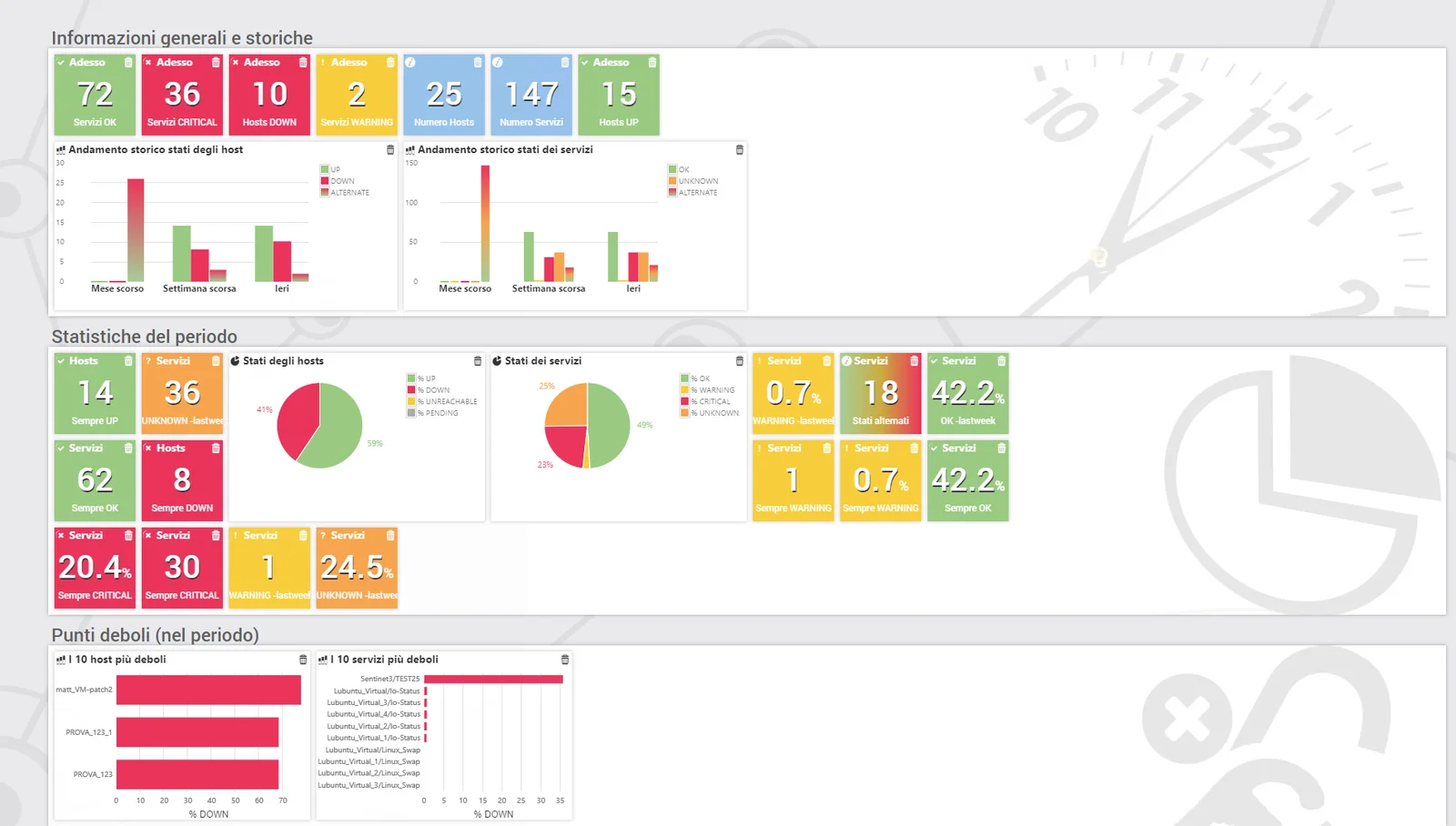
Built by choosing the widgets
Situation Analysis is accessed from the navigation menu on the left. When first activated, the dashboard has no configuration and shows only data of general interest: the operator then chooses from the list the widgets with the indicators of interest and arranges them in the view.
Also available as a module. Where it is not included as standard in the distribution, Situation Analysis is installed as an additional module. Some functions become available after a collection period, because they require analysis information to accumulate over time.
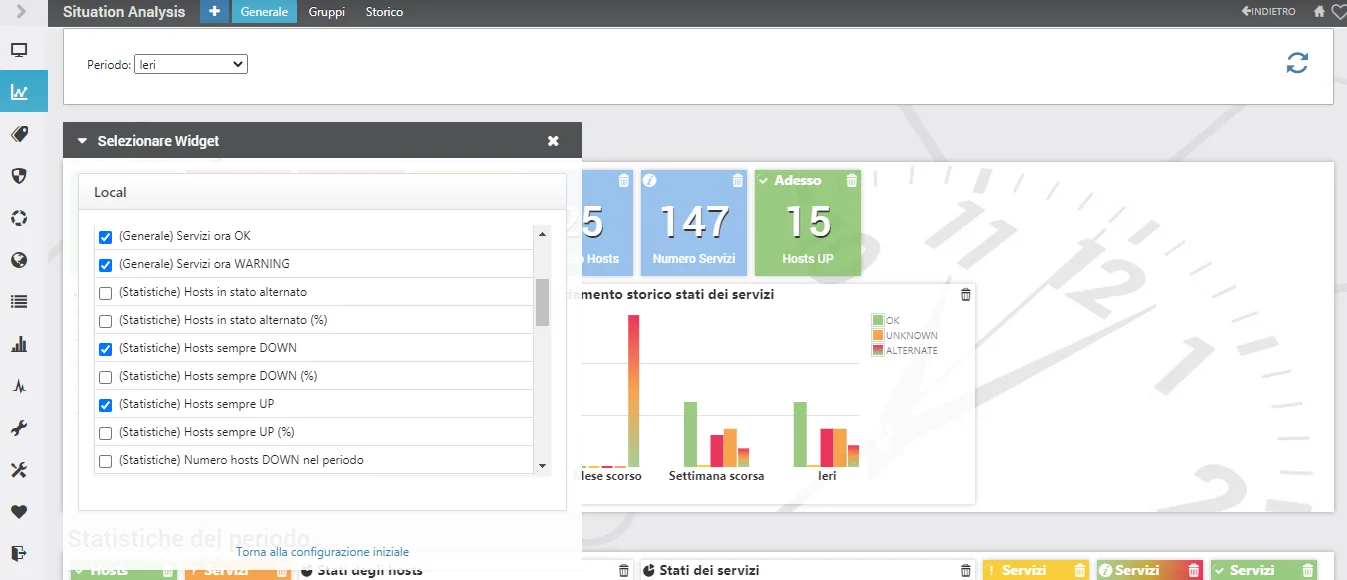
General, Groups and History
Across the three dashboards the indicators are both volumetric and qualitative. Some KPIs follow the period chosen by the user; the general ones use their own reference period, typically a day, a week or a month.
General
Current states, statistics for the selected period, a Top 10 of weak spots and suggestions for recovery.
The KPIsGroups
One widget for each host group: current state compared with the previous day.
The KPIsHistory
The trend of the key KPIs for the entire infrastructure, from 24 hours up to 365 days.
The widgetsGeneral KPIs
These widgets do not depend on the selected period: they have their own reference period.
| KPI | What it shows |
|---|---|
| Historical trend of host states | Number of hosts in each state (UP, DOWN, UNREACHABLE, ALTERNATE) over three time spans: last month, last week and yesterday. The states, except for the special ALTERNATE state, are understood as held for the entire period. |
| Historical trend of service states | Number of services in each state (OK, WARNING, CRITICAL, ALTERNATE) over the same three time spans. |
| Number of hosts | Hosts that are part of the infrastructure and monitored by Sentinet³. |
| Hosts now UP / now DOWN | Hosts currently in the UP or DOWN state. |
| Number of services | Services that are part of the infrastructure and monitored by Sentinet³. |
| Services now OK / WARNING / CRITICAL | Services currently in each of the three states. |
KPIs in the selected period
For each indicator Sentinet³ provides the absolute value and the percentage of the total number of hosts or services.
Hosts
| KPI (number and %) | Interpretation |
|---|---|
| Hosts in alternate state | Hosts with alternating states in the period: an indication of likely anomalies in the infrastructure. |
| Hosts always DOWN | Hosts found DOWN throughout the period: an extremely negative quality index. |
| Hosts always UP | Hosts found UP throughout the period: a positive quality index. |
| Hosts DOWN in the period | Hosts found in the DOWN state during the period. |
| Hosts UP in the period | Hosts found in the UP state during the period. |
| Host states (%) | Distribution of states: how much of the infrastructure is in a positive, negative or intermediate state. |
Services
| KPI (number and %) | Interpretation |
|---|---|
| Services in alternate state | Fluctuating services, seen alternately as OK and in a different state. |
| Services always CRITICAL | An extremely negative quality index for service delivery. |
| Services always WARNING | A quality index that needs to be kept under watch. |
| Services always OK | A positive quality index. |
| Services CRITICAL, WARNING, OK in the period | Services found in each state during the period. |
| Services UNKNOWN in the period | A possible indicator of an anomaly in the monitoring itself. |
| Service states (%) | How many services are in a condition to be delivered and how many are not. |
The Top 10 worst performers
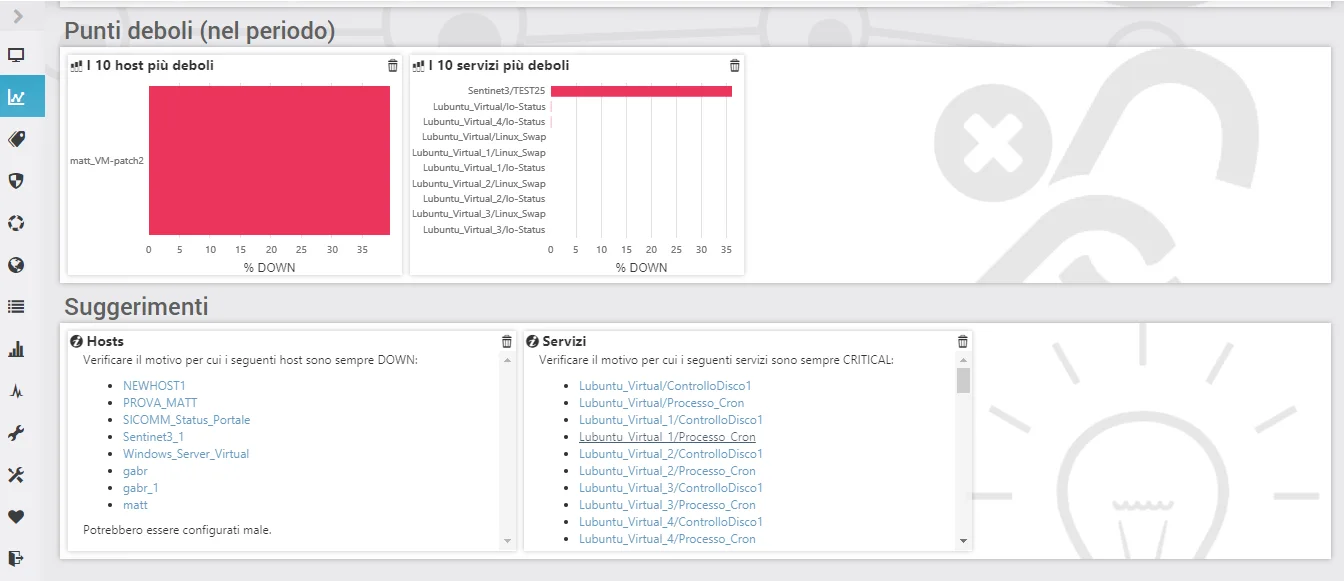
Situation Analysis quickly identifies the weak spots in the infrastructure, whether services or entire hosts, with a Top 10 of the worst performers in the observed period.
From this ranking it derives automatic suggestions for recovery, pointing staff precisely to the hosts and services that need attention.
The weak-spot analysis tools are not KPIs in the strict sense: they use the KPIs to search for objects with significant values and return their names in table form.
One widget for each host group
The point of view shifts to the aggregations of hosts and services that belong to a host group. Choosing the widgets means choosing the hostgroups configured in Sentinet³: each one shows the name of the group and the key KPIs of its hosts and services.
The comparison with the previous day immediately shows changes in the quality of the service delivered.
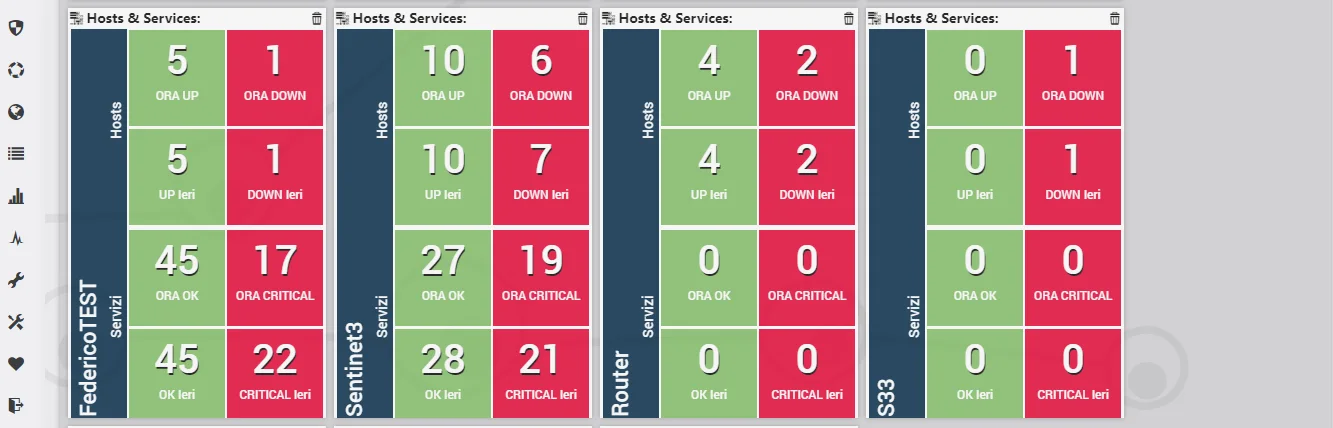
| Group KPI | Now | Yesterday (24 hours of the previous day) |
|---|---|---|
| Hosts UP | Hosts in the group currently UP | Hosts in the group found UP |
| Hosts DOWN | Hosts in the group currently DOWN | Hosts in the group found DOWN |
| Services OK | Services of the group's hosts currently OK | Services found OK |
| Services CRITICAL | Services of the group's hosts currently CRITICAL | Services found CRITICAL |
The quality trend, up to one year
The historical view shows how many objects are in each state and how this number changes over time, over periods from 24 hours to 365 days. It makes clear whether the number of infrastructure elements moving into states other than the expected one is increasing.
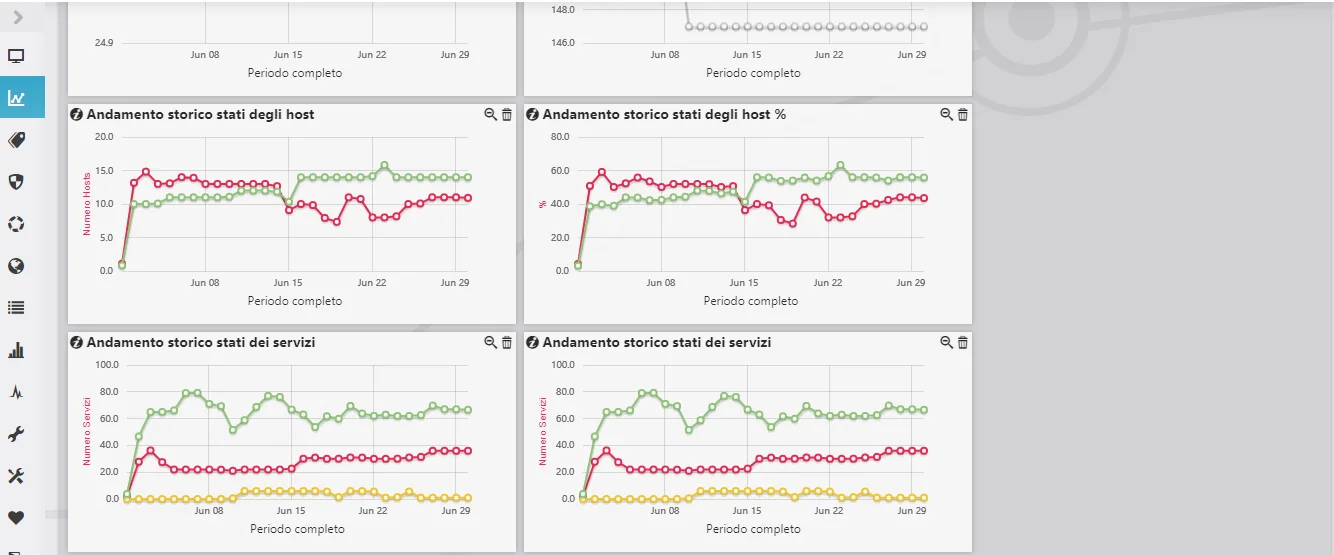
| Widget | What it shows |
|---|---|
| Historical trend of host states (number and %) | Hosts in the UP and DOWN states in the selected period. |
| Historical trend of service states (number and %) | Services in the OK and CRITICAL states in the selected period. |
| Number of hosts | How the number of hosts evolves over time: how the infrastructure, or its monitoring, is growing. |
| Number of services | How the number of monitored services evolves over time. |
From the single incident to the big picture
In large infrastructures attention goes to the single incident and the overall trend is lost: yet the same event could be part of a wider process of degradation in service quality or SLAs. Situation Analysis is the tool for keeping a complex architecture under control from a single vantage point.
Situation Analysis and Time Machine
Situation Analysis
Measures trends, distributions and behaviours over selected periods.
Time Machine
Rebuilds a point-in-time state: what the infrastructure looked like at a specific moment. Discover Time Machine
An anomaly that occurred overnight
A sequence of events involves several hosts and services while the operations centre is unattended. The technician uses Time Machine to reconstruct the state of the components at the time of the fault; Situation Analysis highlights the objects that are frequently critical and the SLA history quantifies the outage.
All scenariosRelated topics
Want to see Sentinet³ on your infrastructure?
Tell us about your environment: sites, technologies, critical services. We will show you how Core and Infinity can work on your case.