
Time Machine
Go back to a past moment to understand a failure in the context in which it occurred.
The state of the infrastructure, at the exact moment you need
Time Machine is a native feature of Sentinet³ Core. It takes the console and maps back to the date and time of interest, rebuilding in a synchronised way the states of the systems and services observed at that moment.
It is particularly useful when an incident occurred during an unattended period and the technician needs to understand how it unfolded afterwards.
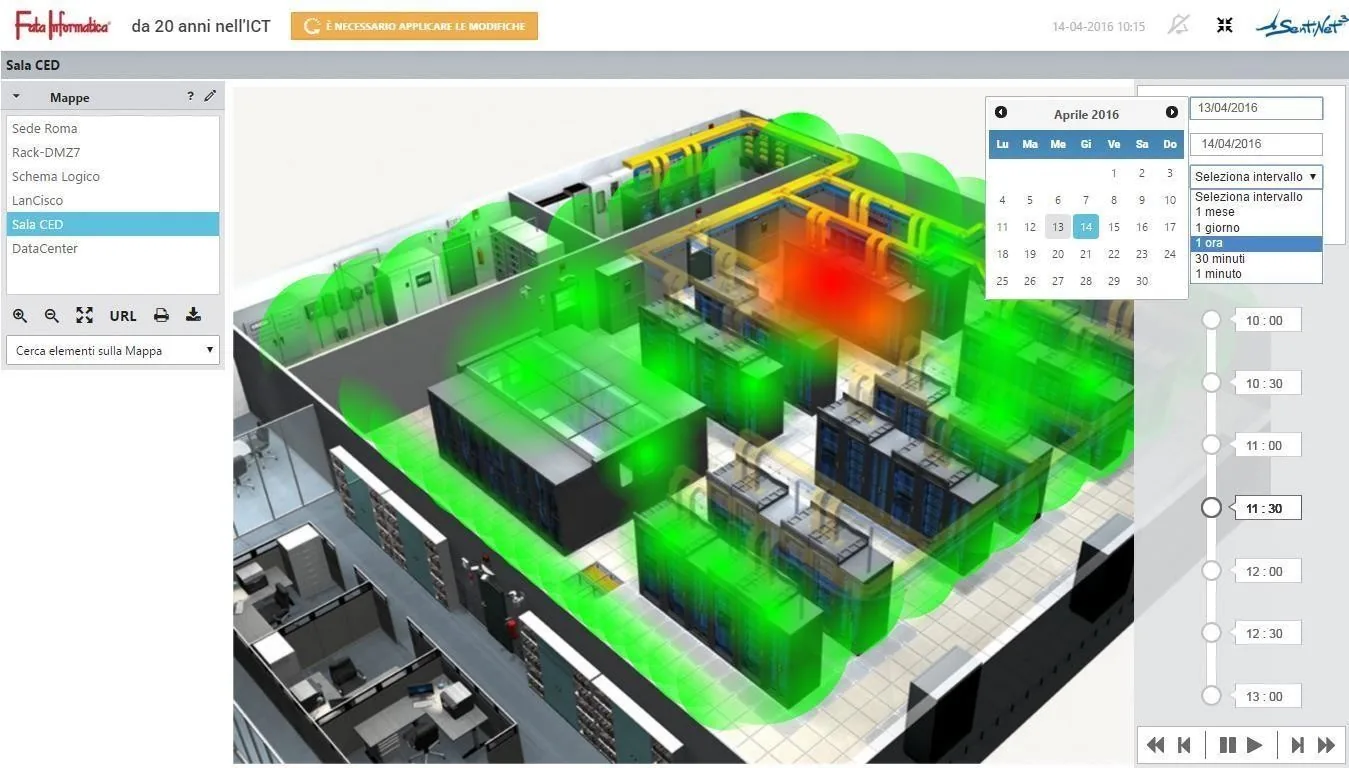
Reconstructing an incident in five steps
Instead of consulting numerous logs separately or reconstructing the state of the environment from memory, the operator uses a contextual view of the past.
- Select the moment of the outage, starting from the notification or the log.
- The console is taken back to the corresponding operational state.
- Observe all at once the hosts and services that were in a critical state.
- Follow maps and relationships to identify the area with the greatest impact.
- Compare the states before and after the anomaly to reconstruct how it evolved and how service was restored.
Value for troubleshooting
Time Machine does not replace detailed log analysis, but steers it towards the most relevant components and intervals: you get to the right point sooner and can better explain what happened, even to those who were not there.
Time Machine
Rebuilds a point-in-time state: what the infrastructure looked like at a specific moment.
Situation Analysis
Measures trends, distributions and behaviours over selected periods. Discover Situation Analysis
A function shared across modules
Time Machine belongs to Core but is also used by the Infinity modules. It lets you consult the history of asset states, of the information collected by agents and of contextualised alerts, comparing different periods to reconstruct changes to the infrastructure, variations in exposure and the evolution of events.
With Security Insight the same time-based views are used to compare the security posture of a host between two dates and to bring to light recently exposed services. Go to Security Insight
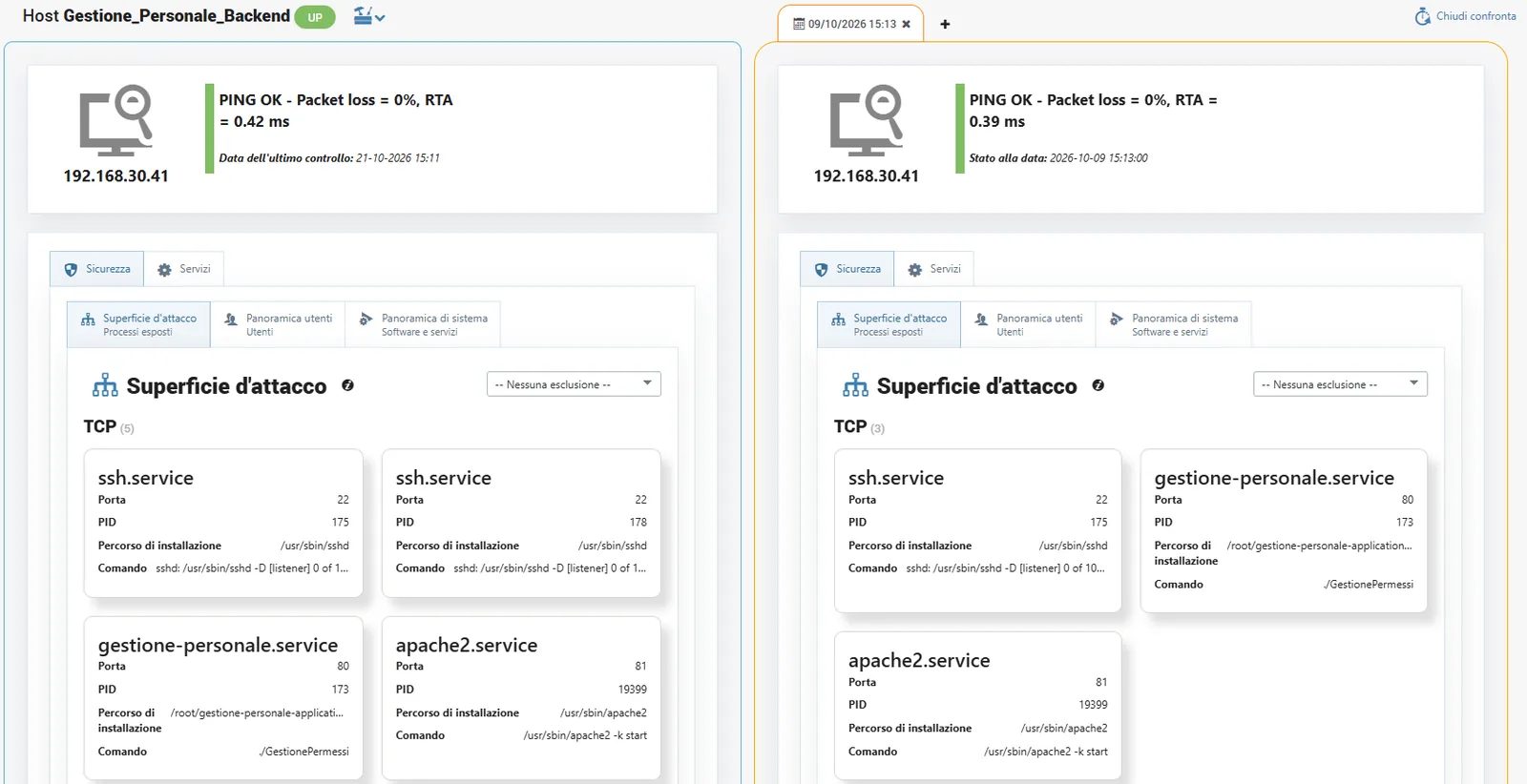
An anomaly that occurred overnight
A sequence of events involves several hosts and services while the operations centre is unattended. In the morning the technician uses Time Machine to reconstruct the state of all the components at the time of the fault; Situation Analysis highlights the objects that are frequently critical and the SLA history quantifies the outage.
All scenariosRelated topics
Want to see Sentinet³ on your infrastructure?
Tell us about your environment: sites, technologies, critical services. We will show you how Core and Infinity can work on your case.